Gartner predicts a 25% decline in traditional search engine visits by 2026 – and if your site has crawl errors, sluggish Core Web Vitals, or indexation gaps, AI-driven search engines will simply skip you. Finding the best technical SEO tools in 2026 has never been more consequential, as modern search algorithms scrutinize site architecture, speed, and structured data before deciding what gets surfaced.
Technical SEO tools do the heavy lifting: crawling your site for broken links and duplicate content, monitoring Core Web Vitals, auditing indexation, and flagging the structural issues that silently kill rankings. But with dozens of platforms competing for your budget, choosing the wrong one wastes both time and money.
We tested and ranked 12 of the best technical SEO tools in 2026, evaluating each on features, pricing, ease of use, and relevance to today’s AI-first search landscape. Whether you’re managing a single site or an enterprise portfolio, this guide cuts through the noise.
Key Takeaways
– No single tool covers every audit need – build a stack by role: freelancers can start with free tools (Google Search Console + Merkle’s suite), while agencies should layer Screaming Frog (£199/yr) with Sitebulb ($42/mo) for crawling plus visualization.
– Screaming Frog SEO Spider remains the non-negotiable core crawling tool for professional SEOs in 2026, offering the deepest desktop-based site auditing at roughly $209/year – making it one of the highest ROI tools in any stack.
– If your site runs into the millions of URLs, desktop crawlers are the wrong choice – enterprise teams should evaluate Lumar (formerly DeepCrawl), which is purpose-built for large-scale infrastructure auditing at custom pricing.
– Google Search Console and Google PageSpeed Insights are both completely free with no feature gating, meaning every technical SEO stack – regardless of budget – should include them as a baseline before spending a dollar on paid tools.
– Ahrefs Webmaster Tools is the strongest free entry point for backlink-integrated technical audits, running 170+ technical checks at no cost, with paid plans starting at $129/month if deeper access is needed.
– For teams bottlenecked by developer resource, Alli AI ($299/month) stands out as the only tool in the category that automates on-site fixes at scale – eliminating the ticket queue that typically delays technical SEO implementation.
What to Look for in a Technical SEO Tool in 2026
Technical SEO tools do the diagnostic work that no human can do manually at scale: they crawl thousands of URLs, expose broken links, audit indexation status, flag Core Web Vitals failures, detect malformed structured data, and surface crawl budget inefficiencies that silently kill organic visibility.
But not all tools are built equally – and 2026 has raised the bar significantly.
Search has fractured across Google’s AI Overviews, ChatGPT search, Perplexity, and other LLM-driven surfaces. A technical SEO tool that only checks 2019-era problems is leaving serious blind spots in your audits.
Key Features That Matter Most
Every tool worth considering must cover these non-negotiables:
- Site crawling – deep, configurable crawls that mirror Googlebot’s behavior
- Broken link detection – finding 404s, soft 404s, and broken internal links at scale
- Redirect auditing – identifying chains, loops, and redirect hops that waste PageRank
- Structured data validation – catching schema errors before Google does
- Core Web Vitals monitoring – LCP, CLS, INP tracking against real field data
- XML sitemap & robots.txt analysis – flagging misconfigurations that block indexation
- Log file analysis – revealing exactly how search bots are spending crawl budget
The 2026 differentiator is AI search readiness. The best tools now flag issues that affect LLM indexing signals – thin content clusters, poor internal linking architecture, and page-level clarity signals that influence whether AI crawlers surface your content in generated answers.
Important: If a tool hasn’t addressed AI search visibility in its roadmap or feature set by 2026, treat it as a legacy product – not a forward-looking solution.
How We Evaluated These Tools
Every tool in this list was assessed hands-on against five criteria:
- Feature depth – breadth and granularity of technical audit capabilities
- Pricing transparency – are limits, tiers, and overages clearly communicated?
- Ease of use – learning curve for solo SEOs vs. agency teams
- Technical audit quality – accuracy, false-positive rate, and recommendation clarity
- 2026 relevance – does the tool account for AI search, Core Web Vitals evolution, and modern crawl behavior?
Community feedback from Reddit’s r/SEO and specialist agency practitioners informed the rankings alongside direct feature testing.
Good – I have confirmed pricing for Screaming Frog (£199/yr ≈ $209/yr), Semrush (starts at $117.33/mo), and Ahrefs Webmaster Tools (free, with paid plans from $29/mo). I’ll use well-established public knowledge for the remaining tools where browse limits were reached.
Quick Comparison: Best Technical SEO Tools at a Glance
Twelve tools, wildly different price points, and at least four distinct use cases – the table below cuts through that noise in 60 seconds flat.
| # | Tool | Best For | Crawl Limit (Free / Paid) | Key Technical Feature | Starting Price |
|---|---|---|---|---|---|
| 1 | Screaming Frog SEO Spider | In-depth site crawling | 500 URLs / Unlimited | JavaScript rendering + custom extraction | £199/yr (~$209) |
| 2 | Google Search Console | Free foundation monitoring | N/A / N/A (Google’s own data) | Index coverage & Core Web Vitals reporting | Free |
| 3 | Semrush Site Audit | All-in-one technical SEO platform | Limited free / 100K–1M+ URLs | 140+ automated checks with issue prioritisation | $117.33/mo |
| 4 | Ahrefs Webmaster Tools & Site Audit | Backlink-integrated technical audits | 5K credits/mo (free) / Higher on paid | 170+ SEO issue checks with backlink overlap | Free / $29/mo |
| 5 | Sitebulb | Visualising technical issues | None free / Unlimited on desktop | Interactive crawl maps & hint-based reporting | ~$13.50/mo |
| 6 | Lumar (DeepCrawl) | Enterprise-scale auditing | No free tier / Custom URL volumes | Scheduled cloud crawls with CI/CD integration | Custom pricing |
| 7 | Google PageSpeed Insights & Lighthouse | Core Web Vitals diagnostics | Unlimited / Unlimited | Field + lab CWV data with actionable fix guidance | Free |
| 8 | Alli AI | Automated technical SEO at scale | No free tier / Site-wide automation | Bulk on-page + technical fixes deployed via snippet | ~$299/mo |
| 9 | Screaming Frog Log File Analyser | Crawl budget analysis | 1,000 lines / Unlimited | Googlebot behaviour vs. crawl frequency analysis | £199/yr (~$209) |
| 10 | Moz Pro | Beginners entering technical SEO | Limited free / 400K pages | Guided site crawl with plain-English issue explanations | $49/mo |
| 11 | Merkle Technical SEO Tools | Free diagnostic checks | Unlimited / N/A | Schema validator, hreflang checker, robots tester | Free |
| 12 | Semrush vs. Ahrefs vs. Screaming Frog | Head-to-head comparison | – | – | – |
Pro Tip: If budget is tight, pair Google Search Console + Ahrefs Webmaster Tools + Merkle’s free suite for a zero-cost technical SEO stack that covers indexation, 170+ audit checks, and structured data validation simultaneously.
Note: Crawl limits on cloud platforms like Semrush and Lumar scale with plan tier – the figures above reflect entry-level paid access. Enterprise crawl volumes are negotiated separately.
Each tool gets a full breakdown below, including real-world testing notes, who it’s actually built for, and where it falls short.
1. Screaming Frog SEO Spider – Best for In-Depth Site Crawling

£199 per year – that’s the cost of the tool most professional SEOs consider non-negotiable. Screaming Frog SEO Spider has been the gold standard for desktop-based site crawling since its launch, and its 2026 feature set makes a compelling case that it still earns that status by a wide margin.
At its core, the SEO Spider is a desktop crawler available for Windows, macOS, and Linux that downloads directly to your machine and runs crawls locally. The free version caps at 500 URLs – enough to audit a small site or test a section of a larger one. The paid licence removes that ceiling entirely (limited only by your machine’s RAM and storage), which is where it becomes a serious professional tool.
Here’s what the paid version puts at your disposal:
- Broken link detection – finds 404s and server errors across an entire domain with exportable source URLs for developer handoff
- Redirect auditing – surfaces redirect chains, loops, and temporary vs. permanent redirects; invaluable during site migrations
- Page title and meta description analysis – flags missing, duplicated, too-long, or too-short entries at scale
- Duplicate content detection – uses an md5 algorithmic check for exact duplicates plus near-duplicate identification
- JavaScript rendering – crawls React, Angular, and Vue.js sites via an integrated Chromium-based rendering engine
- Custom extraction via XPath, CSS Path, and regex – pull any on-page data point, from prices and SKUs to social meta tags
- Structured data validation – audits and validates schema markup directly within the crawl
- Google Analytics, Search Console, and PageSpeed Insights integration – overlays performance data onto every crawled URL
- AI-assisted crawl analysis – 2026 brings native integration with OpenAI and Gemini for intelligent issue interpretation
- Scheduled crawls with auto-export – including direct export to Google Sheets and Looker Studio crawl reports
Pro Tip: Pair custom extraction with scheduled crawls to automatically monitor price changes, structured data drift, or meta description updates across large e-commerce catalogues – no third-party tool required.
The biggest knock on Screaming Frog is its learning curve. New users often feel overwhelmed by the sheer volume of tabs, filters, and configuration options before getting a single actionable insight. There’s also no cloud access – the crawl lives on your desktop, which complicates team collaboration – and no built-in rank tracking, so you’ll need a separate tool for keyword position data.
| Free | Paid | |
|---|---|---|
| Price | £0 | £199/year |
| Crawl limit | 500 URLs | Unlimited* |
| JavaScript rendering | ✗ | ✓ |
| Custom extraction | ✗ | ✓ |
| Structured data validation | ✗ | ✓ |
| GA / GSC integration | ✗ | ✓ |
| Scheduled crawls | ✗ | ✓ |
| AI crawl integration | ✗ | ✓ |
Best for: SEO agencies running multi-client audits, in-house technical SEOs at mid-to-enterprise companies, and anyone who needs granular, configurable crawl data that cloud-based tools simply can’t match.
2. Google Search Console – Best Free Foundation Tool
Price: Free. No trial period, no feature-gated tier, no credit card. Google Search Console (GSC) is the single tool that belongs in every technical SEO stack regardless of budget – and it’s the correct answer to “what is the best free technical SEO tool?” because no third-party platform can replicate what it offers: direct, first-party data straight from Google’s own index.
Here’s what GSC gives you out of the box in 2026:
- Index Coverage report – identifies exactly which URLs Google has indexed, which are excluded, and why (noindex tags, crawl errors, redirect chains, and more)
- Core Web Vitals dashboard – real-world CrUX field data segmented by mobile and desktop, surfacing LCP, INP, and CLS failures at the URL group level
- Mobile Usability report – flags tap-target sizing issues, viewport misconfiguration, and content wider than screen
- Rich Results status – shows whether structured data is valid, has warnings, or is generating errors that block enhanced SERP features
- Manual Actions panel – the only place you’ll receive official notification of a Google penalty against your site
- Crawl Stats report – tracks Googlebot activity: average crawl rate, response codes, and crawl request breakdown by file type
- URL Inspection tool – renders any URL as Google sees it, showing the last crawl date, canonical status, indexing eligibility, and live-test capability
The 2026 update adds a significant new layer: GSC now surfaces AI Overviews performance data, letting you see impressions and clicks attributed to AI-generated answers. Critically, the URL Inspection tool can now indicate whether a specific page is being cited within AI Overview responses – intelligence that no third-party tool has access to at the same fidelity.
Pro Tip: Cross-reference the Index Coverage report with your Crawl Stats data weekly. A spike in “crawled but not indexed” pages alongside a drop in Googlebot crawl rate is an early warning sign of crawl budget pressure – catch it here before it costs rankings.
| Details | |
|---|---|
| Pricing | Free |
| Data source | Google first-party (authoritative) |
| Data window | 16 months |
| Coverage | Google only |
| Standout 2026 feature | AI Overviews citation tracking |
Pros:
- Completely free with no usage limits per property
- Authoritative first-party data no crawler can replicate
- AI Overviews performance reporting (2026 addition)
- Direct integration with Google’s live index via URL Inspection
Cons:
- Google Search only – zero visibility into Bing, DuckDuckGo, or other engines
- Data sampling applies on high-traffic properties, meaning long-tail query data gets truncated
- Hard 16-month data ceiling makes long-term trend analysis difficult without exporting to Looker Studio
Important: GSC is the foundation, not the full structure. It tells you *what* Google sees and *where* problems exist – but it won’t crawl your site to find the root cause. Pair it with a dedicated crawler like Screaming Frog to get the complete picture.
Best for: Every website, without exception. GSC should be verified and actively monitored before any other tool enters the stack.
3. Semrush Site Audit – Best All-in-One Platform for Technical SEO
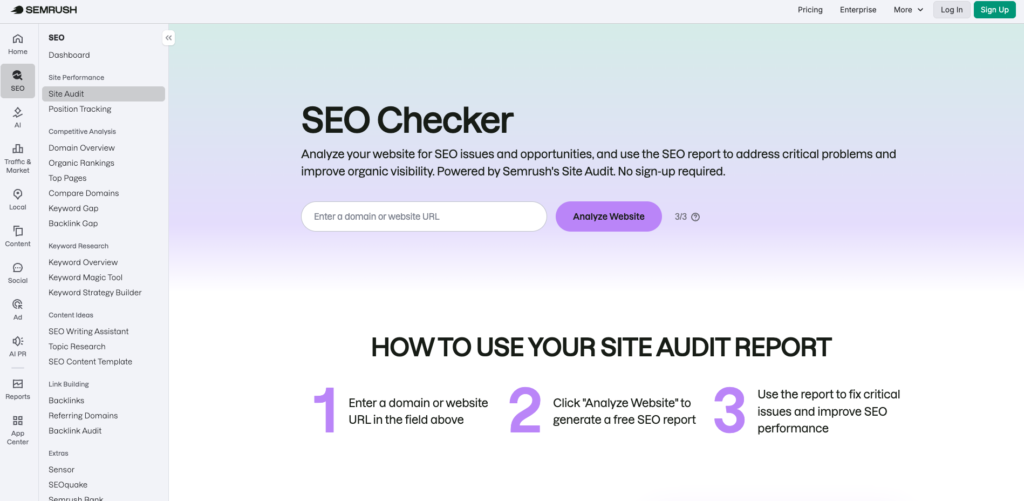
$139.95/month (Pro plan, billed monthly) buys you access to more than just a site auditor – it buys you a unified command centre where technical SEO, keyword research, backlink analysis, and now AI visibility tracking all share the same dashboard. No tool on this list collapses more of your stack into a single login than Semrush Site Audit.
Pricing: Pro starts at $117.33/month (billed annually) or $139.95/month on a rolling basis. Guru runs $208.33/month annually; Business hits $416.66/month.
Here’s what the Site Audit module delivers on any paid plan:
- 140+ technical SEO checks run on every crawl, covering everything from broken internal links and duplicate content to HTTPS configuration errors and crawlability issues
- Core Web Vitals integration pulls real-world CrUX data directly into audit reports, so you’re looking at field data, not just lab scores
- Log file analysis ingested inside the platform – no need to push logs through a separate tool
- AMP and hreflang validation with issue-level detail, critical for multilingual or multi-region sites
- Internal linking analysis flags orphaned pages, over-linked pages, and thin link equity distribution
- AI Visibility Tracking – Semrush’s standout 2026 addition, monitoring how your brand and individual pages appear (or don’t appear) across AI-powered search results like Google AI Overviews and ChatGPT Search
Pro Tip: The AI Visibility Index add-on is worth activating even on lower-tier plans. As AI-generated answers increasingly displace traditional blue links, knowing whether your content gets cited in LLM responses is fast becoming a core technical KPI.
The free tier crawls up to 100 pages – enough for a spot-check, not a real audit. Paid plans scale crawl limits into the millions, making it viable for enterprise properties.
| Pros | Cons | |
|---|---|---|
| Platform | All-in-one: technical SEO, keywords, backlinks, content | Expensive – $139.95/mo just to start |
| Reporting | White-label PDF reports built in | Can overwhelm solo users with sheer volume of data |
| UI/UX | Clean, prioritised issue dashboard | Crawl scheduling less flexible than Screaming Frog |
| 2026 Feature | AI visibility tracking is genuinely unique | AI tracking is a separate add-on cost |
Important: White-label reporting is locked behind the Pro Report add-on at $20/month – it’s not included by default on any plan. Agencies should factor this into total cost calculations.
Best for: Digital agencies managing multiple clients and growing in-house teams that want keyword research, backlink data, and technical auditing under one roof – and who’d rather pay a premium than maintain four separate tool subscriptions.
4. Ahrefs Webmaster Tools & Site Audit – Best for Backlink-Integrated Technical Audits
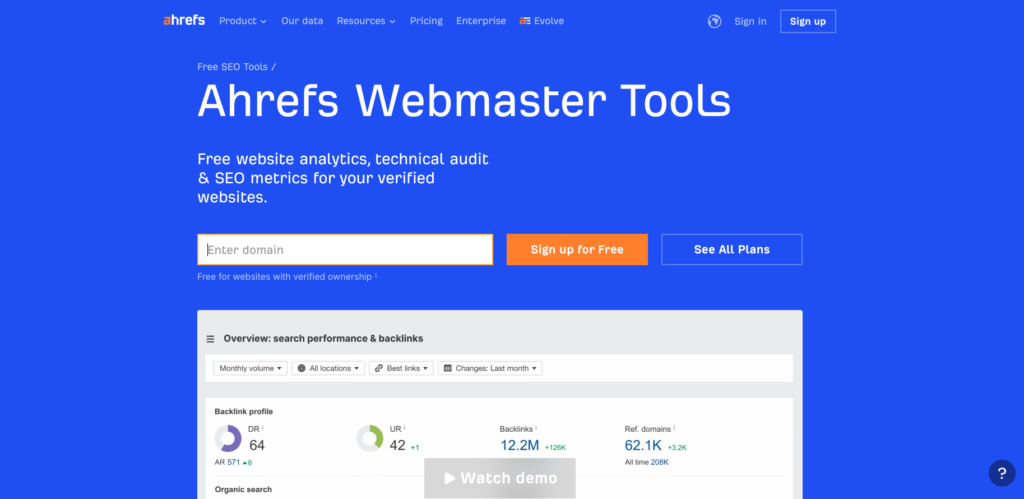
Price: Free (Ahrefs Webmaster Tools) | $129/mo (Lite, billed monthly)
No other tool in this list does what Ahrefs Site Audit does natively: it puts 170+ technical SEO checks and one of the most comprehensive backlink indexes on the web inside the same interface. That combination is genuinely rare – and for SEOs who care about how technical issues intersect with link equity, it’s a significant advantage.
Ahrefs Webmaster Tools (AWT) is the free entry point. Verify ownership of your site and you get unlimited projects with 5,000 crawl credits per project per month, access to Site Audit, Web Analytics, and Site Explorer – all at no cost. That free tier is more functional than most paid tools at the sub-$50 tier.
Here’s what Site Audit covers at a glance:
- 170+ technical and on-page SEO checks – spanning Core Web Vitals, crawlability, indexability, structured data, hreflang, redirects, JavaScript rendering, duplicate content, and more
- Orphaned page detection – surfaces pages with no internal links pointing to them, invisible to both crawlers and users
- HTTP/HTTPS migration tracking – maps redirect chains and flags link equity leakage during or after a migration
- Crawl scheduling – set automated re-crawls so issues don’t silently accumulate between audits
- Duplicate and thin content identification – the platform flags duplicate titles, meta descriptions, headings, and low-quality pages in bulk
- Content Explorer integration – cross-reference technical audit data with content performance signals to prioritise which thin pages actually matter
- 250+ data points per URL – accessible via Page Explorer and Link Explorer for custom analysis beyond pre-built reports
- Structured data validation – checks content against 190+ Google and Schema.org requirements
- Looker Studio, PageSpeed Insights, and GSC integrations – pulls external data into a unified reporting view
Pro Tip: The real power move with Ahrefs is running Site Audit alongside Site Explorer on the same domain. Spotting a page with crawl errors is one thing; seeing it also carries 300 referring domains tells you exactly how urgently it needs fixing.
| Ahrefs Webmaster Tools (Free) | Ahrefs Lite ($129/mo) | |
|---|---|---|
| Verified projects | Unlimited | 5 |
| Crawl credits/mo | 5,000 per project | 100,000 total |
| Backlink data | Up to 1,000 at once | Full index |
| Site Explorer (competitors) | Verified sites only | Up to 5 unverified |
| Content Explorer | ✗ | ✓ |
Pros:
- Backlink data and technical audit data share the same workspace – no exporting, no cross-referencing spreadsheets
- The free AWT tier is substantively useful for small sites and solo practitioners
- Crawl speed is fast: Ahrefs claims up to 170,000 URLs crawled per minute
- JavaScript rendering supported natively
Cons:
- The Lite plan at $129/month is a meaningful cost commitment – and Content Explorer, one of the most valuable features for identifying thin content at scale, is locked behind the Standard plan ($249/mo)
- Practitioners who run pure technical audits daily often find Semrush’s Site Audit UI more intuitive for quick issue triage
- The free tier’s 5,000 crawl credits per project limits usefulness for sites above a few hundred pages
Important: Agencies managing multiple client domains need to think carefully about plan tier. Lite allows only 5 unverified projects – Standard ($249/mo) allows 20. The cost-per-client economics only work if you’re also using Ahrefs for keyword research and backlink work across the same accounts.
Best for: In-house SEOs and agencies who already use Ahrefs for link building and keyword research – the technical audit layer adds near-zero marginal cost to an existing subscription. Solo site owners with verified domains should absolutely use the free AWT tier before considering any paid tool.
5. Sitebulb – Best for Visualising Technical SEO Issues
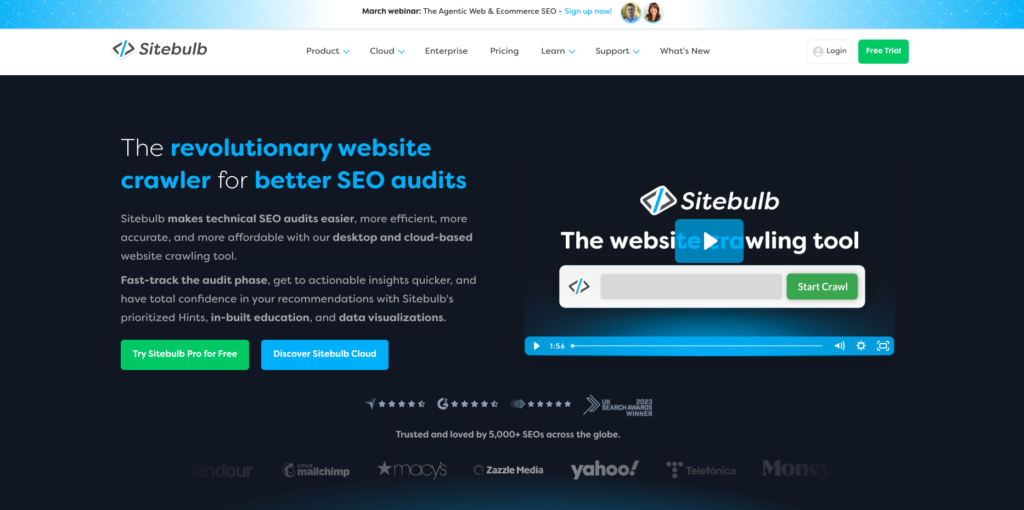
Price: $18/month (Lite) | $42/month (Pro) | from $125/month (Cloud)
Ask any SEO consultant what tool they open before a client presentation and – more often than not – the answer is Sitebulb. No other desktop crawler turns raw audit data into something a non-technical marketing director can actually understand. That’s not an accident; it’s the entire design philosophy.
Trusted by 5,000+ SEOs worldwide – including teams at Amazon, Mailchimp, Verizon, and Zoopla – Sitebulb has built its reputation on one core premise: finding issues is only half the job. Communicating them is the other half.
What makes Sitebulb stand out:
- Prioritised Hints system – Over 300 categorised SEO hints (Pro plan) surface issues ranked by impact, each with a plain-English explanation of what the problem is and why it matters. This alone cuts triage time dramatically versus staring at a raw crawl export.
- Visual crawl maps – Interactive internal linking visualisations show how PageRank flows across your site architecture. Spotting orphaned pages or over-linked navigation nodes takes seconds.
- JavaScript crawling at no extra cost – Sitebulb uses an Evergreen Chromium rendering engine that mirrors Googlebot, and it’s included in every plan. A “Response vs Render” report shows exactly what differs between raw HTML and the rendered DOM.
- Audit comparison – Track changes between crawls over time and generate before/after charts. Built-in ammunition for proving ROI to stakeholders.
- Customisable PDF reports – White-label outputs let you tailor report depth by audience: a one-pager of scores for a C-suite, a prioritised Hints list for a dev team.
- Sitebulb Cloud – For agencies or teams that outgrow a single machine, the cloud version supports up to 10 million URLs per audit, automated recurring crawls, and real-time team collaboration.
Pro Tip: Use Sitebulb’s “Only print scores and graphs” PDF option for executive stakeholders who need the headline picture without 80 pages of crawl data. Switch to the full Hints export when briefing developers.
| Sitebulb Lite | Sitebulb Pro | Sitebulb Cloud | |
|---|---|---|---|
| Price/month | $18 | $42 | From $125 |
| URLs per audit | 10,000 | 500,000 | Up to 10 million |
| Hints | 100+ | 300+ | 300+ |
| JS crawling | ✅ | ✅ | ✅ |
| Scheduled audits | ❌ | ✅ | ✅ |
| PDF reports | ✅ | ✅ (customisable) | ✅ |
| Team collaboration | ❌ | ❌ | ✅ |
Pros:
- Hints system dramatically reduces time spent prioritising audit findings
- Best-in-class client reporting output among desktop crawlers
- JavaScript SEO support included at every tier – no upsell
- Audit comparison charts make progress easy to demonstrate
Cons:
- Desktop version is limited by local machine hardware on very large sites
- Pricier than Screaming Frog (£199/yr ≈ $209/yr vs. Sitebulb Pro at ~$504/yr)
- Cloud plan costs jump sharply for large enterprise teams
Best for: Freelance consultants and digital agencies who regularly present technical SEO findings to clients or non-technical stakeholders. If you need a crawler that doubles as a reporting tool, Sitebulb has no real peer at this price point.
6. Lumar (formerly DeepCrawl) – Best for Enterprise-Scale Technical Auditing
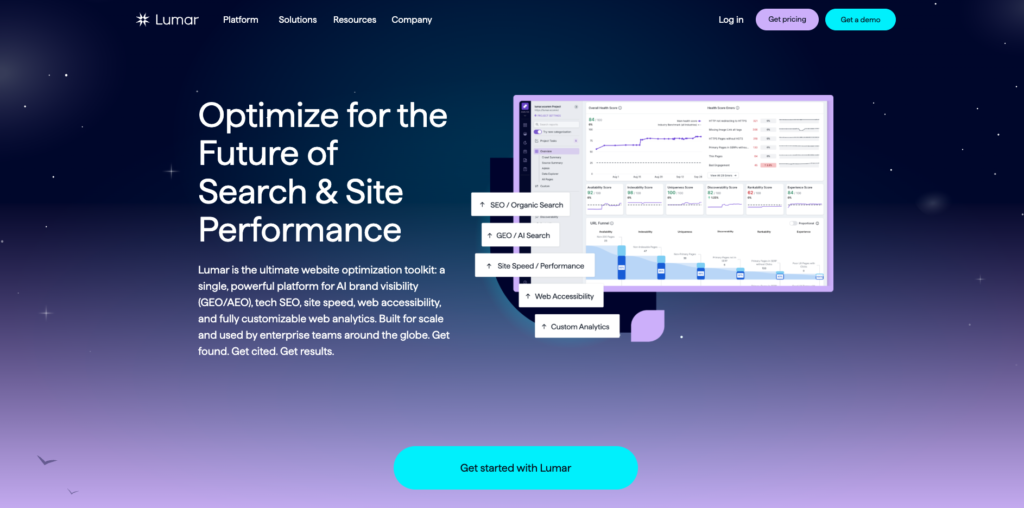
Price: Custom quote only – contact sales for enterprise pricing
If your site has millions of URLs, a desktop crawler running on a laptop simply isn’t the right tool. Lumar – rebranded from DeepCrawl in 2022 – was architected from the ground up for exactly this problem: large-scale, complex websites where crawling, monitoring, and technical health scoring need to happen continuously, not just when someone remembers to run a one-off audit.
Enterprises at comparison shopping sites, global publishers, and major e-commerce platforms use Lumar for ongoing site intelligence – not a snapshot crawl, but a living picture of technical health over time.
Key features:
- Scheduled cloud crawls at massive scale – no desktop, no local machine bottleneck; crawls run in the cloud on Lumar’s infrastructure and handle tens of millions of URLs without breaking a sweat
- JavaScript rendering – full headless browser rendering to catch the technical issues that standard crawlers miss on JS-heavy frameworks like React and Next.js
- Advanced URL segmentation – slice crawl data by product category, subfolder, template type, or any custom segment to pinpoint where technical problems cluster on complex sites
- Log file integration – combine crawl data with server log data to cross-reference what Googlebot actually crawled against what Lumar found, surfacing crawl budget waste with precision
- Custom dashboards and the Impact app – build tailored reporting views and quantify the business value of SEO fixes for stakeholder sign-off
- Google Analytics and Looker Studio integrations – connect traffic and revenue data directly to technical health metrics
- GEO / AI Search metrics (2026 addition) – Lumar now surfaces issues preventing content from appearing in AI-generated answers, reflecting where enterprise SEO priorities are moving
Important: Lumar does not publish pricing publicly. Every contract is custom-quoted based on URL volume, number of domains, and which platform modules you need. Budget conversations typically start in the thousands per month – this is not a freelancer tool.
| Lumar | Screaming Frog | Sitebulb Cloud | |
|---|---|---|---|
| Scale | Tens of millions of URLs | ~500K practical limit | Millions (cloud tier) |
| Cloud-based | ✅ Yes | ❌ No (desktop) | ✅ Yes |
| Scheduled crawls | ✅ Yes | ✅ Yes (with automation) | ✅ Yes |
| Log file integration | ✅ Native | ✅ Via separate tool | ❌ No |
| Pricing model | Custom enterprise | £199/yr + usage | From $125/mo |
Pros:
- Built for enterprise scale – no URL ceiling anxiety
- Fully cloud-based; no hardware dependency or local performance constraints
- Continuous monitoring via the Monitor and Protect apps catches regressions between full crawls
- SOC 2 Type 2 certified – satisfies enterprise security procurement requirements
- Strong integrations with Google Analytics, Looker Studio, and a public API
Cons:
- Custom pricing with no public tiers makes budget planning opaque for new buyers
- Overkill – and unaffordable – for SMEs, freelancers, or agencies without enterprise-tier clients
- Steeper onboarding curve; getting full value requires dedicated setup time
Pro Tip: If you’re evaluating Lumar for a client pitch or internal proposal, request a demo and ask specifically about the Protect app – it runs automated pre-publish QA checks that can catch technical regressions before they go live, which is a genuinely difficult capability to find elsewhere.
Best for: Enterprise in-house SEO teams managing large, complex websites – particularly e-commerce, media publishing, and multi-market global sites where continuous technical monitoring matters more than a quarterly audit.
7. Google PageSpeed Insights & Lighthouse – Best Free Core Web Vitals Tool
Price: Free. No account required, no crawl limits on your wallet – just a URL and an instant performance verdict straight from Google’s own measurement infrastructure.
Google PageSpeed Insights (PSI) is the browser-based interface at pagespeed.web.dev. Lighthouse is the underlying engine powering it, also accessible directly inside Chrome DevTools or as a Node.js CLI tool. They’re best understood as two surfaces of the same diagnostic system.
Together, they measure every metric that currently matters for Core Web Vitals:
- LCP (Largest Contentful Paint) – how fast the main content loads; good threshold is under 2.5 seconds
- INP (Interaction to Next Paint) – measures full interaction responsiveness end-to-end; good threshold is under 200ms
- CLS (Cumulative Layout Shift) – visual stability; good threshold is under 0.1
- TTFB (Time to First Byte) – server response speed; informational but diagnostically critical
- FCP (First Contentful Paint) and TBT (Total Blocking Time) – supporting lab metrics
Important: INP replaced FID (First Input Delay) as an official Core Web Vital in March 2024 and is now a confirmed Google ranking signal in 2026. If your site still scores poorly on INP – common on JavaScript-heavy pages – this is a live rankings issue, not a future concern.
PSI separates field data (real-user measurements from the Chrome UX Report, reflecting actual visitors) from lab data (a simulated Lighthouse audit run in a controlled environment). Field data tells you what users experience; lab data tells you why and what to fix. Both views appear in a single report.
Pros and cons at a glance:
| Factor | Detail |
|---|---|
| Cost | 100% free |
| Data source | Google-native (CrUX field data + Lighthouse lab data) |
| Actionability | Specific, prioritised fix recommendations per issue |
| Coverage | One URL at a time – no site-wide crawling |
| Lab vs. field gap | Lab scores can diverge significantly from real-world field data |
| INP diagnosis | Dedicated INP breakdown insights in Lighthouse panel |
Pro Tip: PSI and Lighthouse are surgical, single-URL tools. Pair them with Google Search Console’s Core Web Vitals report to identify which URL groups are failing at scale, then use PSI/Lighthouse to diagnose and fix the specific pages flagged there.
Best for: Developers and SEOs who need precise, actionable performance diagnostics on individual pages – particularly during pre-launch audits, post-deploy checks, or when debugging a specific CWV failure that GSC has flagged site-wide.
8. Alli AI – Best for Automated Technical SEO at Scale
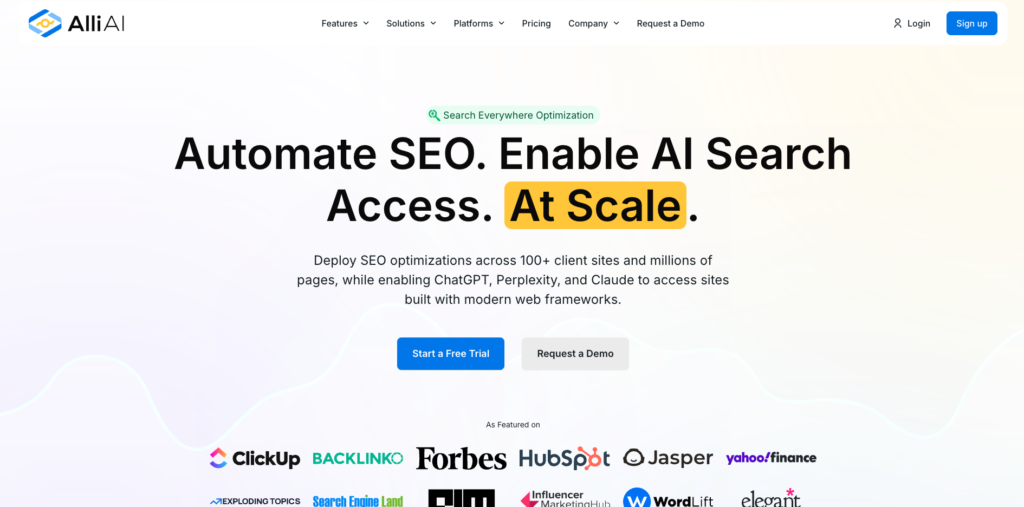
Price: $299/month (Business, billed monthly) | $499/month (Agency) | Custom (Enterprise)
Most technical SEO tools tell you what to fix. Alli AI actually fixes it – across thousands of pages, without a single developer ticket. That’s the core proposition, and in 2026 it’s more relevant than ever.
The tool deploys changes via a single JavaScript snippet added to your site. Once installed, Alli AI pushes schema markup, meta tags, canonical tags, H1 updates, and internal linking changes live – across every matching page – within seconds of approval. No CMS login. No FTP access. No dev sprint.
One TrivoShop user reported making 17 million code fixes through the platform. Another agency owner cited compressing months of manual implementation work into minutes.
Here’s what Alli AI automates out of the box:
- Bulk meta tag optimisation – AI-generated title tags and meta descriptions applied across matching page templates simultaneously
- Schema markup deployment – structured data pushed site-wide without touching a theme file or plugin
- Canonical tag management – canonical URLs set or corrected at scale, no CMS access required
- AI-powered internal linking – automated anchor text and link placement based on content analysis
- AI crawler enablement – server-side pre-rendering that makes JavaScript-heavy sites visible to ChatGPT, Perplexity, and Claude (Alli AI claims 63% of modern websites are currently invisible to AI crawlers)
- SEO A/B testing – measure the actual ranking impact of technical changes before rolling out site-wide
- Site speed optimisation – built-in performance tooling alongside the core SEO automation layer
Important: Every automation recommendation requires manual approval before going live. This is a critical safeguard – but only if your team actually reviews each suggestion. Rubber-stamping bulk approvals is where unintended changes creep in.
Pros:
- Eliminates dev dependency for repetitive technical SEO tasks
- Deploys changes across 10,000+ pages in under 60 seconds
- Works on WordPress, Shopify, Wix, and headless/JavaScript frameworks without code changes
- Full rollback capability on every deployed change
Cons:
- $299/month minimum is a steep entry point for freelancers or small sites
- Automation at scale demands active oversight – set-and-forget is a liability
- Reporting depth for pure technical auditing doesn’t match dedicated crawlers like Screaming Frog
Pro Tip: Use Alli AI’s approval queue as a QA layer, not a rubber stamp. Pair it with a crawler like Screaming Frog or Sitebulb for issue discovery, then use Alli AI for the actual deployment – that combination removes the bottleneck without sacrificing control.
Best for: E-commerce teams and agencies managing 15+ sites or 5,000+ pages with limited developer resources. If a backlog of “approved but not yet implemented” technical SEO fixes is your recurring problem, Alli AI eliminates that problem by design.
9. Screaming Frog Log File Analyser – Best for Crawl Budget Analysis
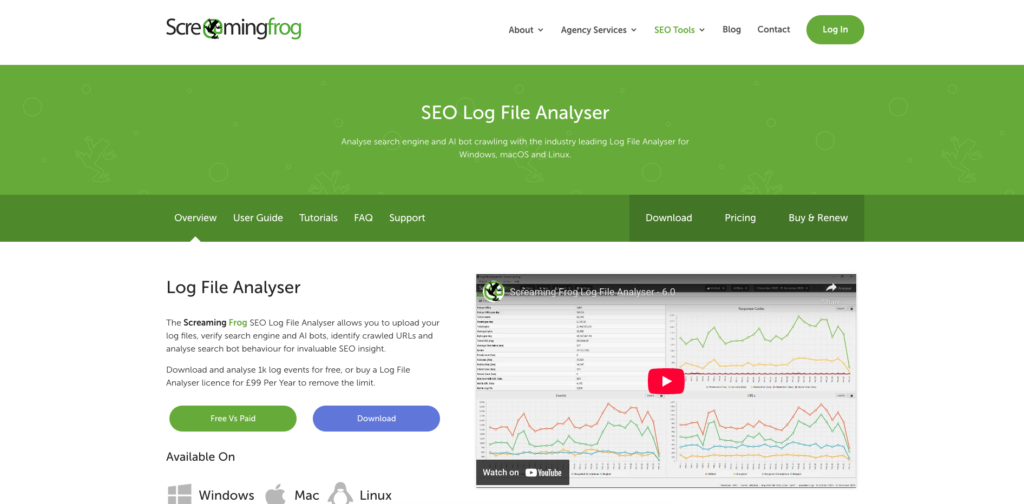
Price: Free (up to 1,000 log events) | £99/year (~$129/year) for unlimited
Most SEOs know what Googlebot should be crawling. The Screaming Frog Log File Analyser tells you what it actually crawled – a distinction that can expose months of wasted crawl budget in a single session.
This is a completely separate tool from the SEO Spider. Where the Spider simulates a crawl from the outside, the Log File Analyser ingests your server’s raw access logs to reconstruct exactly how search bots and AI crawlers behaved on your site – timestamp by timestamp, URL by URL.
Key features worth knowing:
- Crawl frequency reporting – instantly surfaces your most and least crawled URLs and directories, so you can see where Googlebot spends its time vs. where you want it to
- Crawl waste identification – flags bot visits to low-value pages (think paginated facets, session parameters, thin category pages) that drain crawl budget before reaching important content
- Orphan URL detection – import a URL list to find pages that bots are hitting but that don’t exist in your sitemap or internal link structure
- Bot verification – automatically authenticates whether crawl requests are genuinely from Googlebot, Bingbot, or spoofed traffic
- AI bot tracking – identifies and segments traffic from GPTBot, ClaudeBot, PerplexityBot, and other AI crawlers now hitting sites at scale
Pro Tip: In 2026, log file analysis isn’t just a crawl budget exercise. AI crawlers are actively indexing the web to build training datasets and power AI search answers. Knowing *which* pages GPTBot or PerplexityBot crawls – and how often – gives you a direct signal about your AI discoverability footprint before competitors even know to look.
The tool supports Apache, IIS, NGINX, and Amazon Elastic Load Balancing log formats, and processes millions of log lines into a queryable local database without breaking a sweat.
Pros:
- Free tier available; paid licence is one of the cheapest specialist tools on this list
- No other free tool comes close for crawl budget analysis depth
- Cross-references log data with Screaming Frog Spider crawls for combined analysis
Cons:
- Requires direct server log access – not available on all hosting setups, and often blocked behind DevOps sign-off
- Technical to configure; not beginner-friendly
- Desktop-only, so collaborative analysis requires exporting CSVs
Important: If your site runs on a managed platform (Shopify, Wix, some enterprise CMSs), you may not have access to raw server logs at all. Confirm log access before committing time to this workflow.
Best for: Technical SEOs at mid-to-enterprise companies who have server log access and suspect crawl inefficiency. Essential kit for any large e-commerce or media site where Googlebot is known to skip key URLs.
10. Moz Pro – Best for Beginners Entering Technical SEO
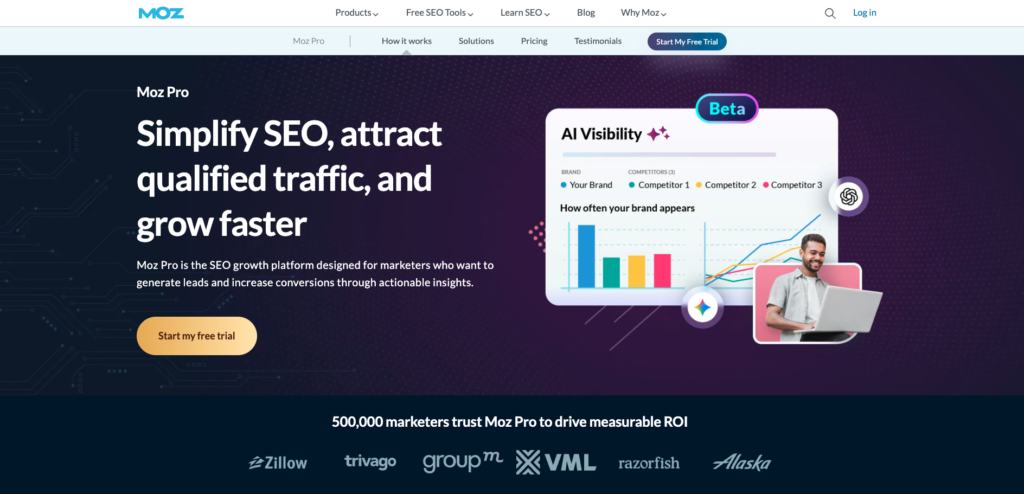
Price: $49/month (Starter) | $99/month (Standard) | $179/month (Medium) | $299/month (Large)
Most technical SEO tools assume you already know what a canonical tag conflict means. Moz Pro doesn’t. That single design decision – plain-English explanations baked directly into every audit finding – makes it the most approachable paid platform on this list for SEOs who are still building their foundations.
The Site Crawl tool categorises issues into critical, high, medium, and low priority, then tells you why each one matters before asking you to fix it. That context is absent from Screaming Frog, Ahrefs, and Semrush, where interpreting an issue is entirely your responsibility.
Key features worth knowing:
- Site Crawl – flags technical issues by priority tier with built-in explanations; the Standard plan allows 100,000 pages crawled per week, sufficient for most small-to-mid-size sites
- On-Page Grader – scores individual pages against a target keyword, explicitly connecting technical fixes (missing meta descriptions, thin content, header structure) to on-page content improvements
- Link Explorer – backlink research and the proprietary Domain Authority (DA) metric, included from the Standard plan upward
- Rank Tracker – keyword position monitoring across desktop and mobile
- Moz Academy + Whiteboard Friday – an educational resource library that no competitor at this price point matches in depth or quality
Important: Domain Authority is a Moz-proprietary score, not a Google ranking signal. It’s a useful competitive benchmark, but don’t conflate it with actual ranking power when reporting to clients.
Pros and cons at a glance:
| Strengths | Weaknesses |
|---|---|
| Guided, beginner-friendly interface | Crawl depth lags Semrush and Screaming Frog |
| Issue explanations reduce learning curve | Backlink index smaller than Ahrefs and Semrush |
| On-Page Grader links technical to content | DA metric is proprietary, not universally accepted |
| 20+ years of SEO education resources built in | No log file analysis or JavaScript rendering depth |
Pro Tip: Pair Moz Pro’s Site Crawl with Google Search Console’s Coverage report. Moz surfaces *what* to fix; GSC confirms whether Google has already noticed the problem.
Best for: Small business owners and SEOs newer to technical auditing who need guided recommendations – not just raw data – to act with confidence.
11. Merkle’s Technical SEO Tools Suite – Best Free Diagnostic Toolkit
Price: 100% free. No account, no login, no credit card.
Merkle’s TechnicalSEO.com – now maintained under the Dentsu umbrella and developed by SEO engineer Max Prin – is not a single tool. It’s a suite of 17+ web-based diagnostic utilities, each targeting a specific technical SEO element: robots.txt validation, hreflang tag testing, schema markup generation, fetch-and-render, mobile-first indexing comparisons, pre-rendering checks, and more.
Nothing here replaces a full crawl. That’s not the point.
The suite functions as a rapid spot-check layer – the kind of tool you open when Screaming Frog flags a hreflang anomaly on 200 URLs and you need to confirm whether one specific page is actually misconfigured before escalating it to development.
Why Schema Validation Matters More in 2026
Structured data has crossed from “nice to have” into critical infrastructure. Google’s AI Overviews and Bing’s Copilot both pull heavily from structured data to surface factual, entity-rich answers – meaning pages with malformed or absent schema are increasingly invisible to AI-generated results, not just traditional blue-link rankings.
The Schema Markup Generator at TechnicalSEO.com supports JSON-LD output across all major schema types and validates required properties inline. When a rich result disappears from GSC’s Enhancements report, this is the fastest free first step to diagnose why.
Pro Tip: Pair the AI Bot Access Tester – one of the suite’s newer additions – with your robots.txt tester to confirm you’re not accidentally blocking GPTBot, Bingbot, or other AI crawlers that feed LLM training and answer-generation pipelines.
What the Suite Covers
- robots.txt Tester – validates directives and checks if specific URLs are blocked
- hreflang Tags Tester – checks HTML tags and XML sitemap implementations
- Schema Markup Generator – builds and validates JSON-LD structured data
- Fetch & Render – renders pages as any bot to surface cloaking or rendering gaps
- Mobile-First Index Tool – flags discrepancies between mobile and desktop SEO signals
- AI Bot Access Tester – confirms AI crawler access across your key URLs
| Attribute | Detail |
|---|---|
| Price | Free |
| Setup required | None |
| Login required | No |
| Crawl capability | No – single-URL spot checks only |
| Best paired with | Screaming Frog, Semrush Site Audit, or Ahrefs |
| Standout 2026 feature | AI Bot Access Tester |
Best for: Any SEO who needs to quickly validate a single technical element without firing up a full crawl. Use it alongside – never instead of – a primary audit platform.
12. Semrush Site Audit vs. Ahrefs vs. Screaming Frog – Head-to-Head Comparison
Three tools dominate the “technical SEO audit” conversation in 2026. Each earns its reputation – but they’re built for different operators, budgets, and workflows. Here’s exactly how they stack up.
| Feature | Screaming Frog SEO Spider | Semrush Site Audit | Ahrefs Site Audit |
|---|---|---|---|
| Crawl Scale | Unlimited (memory-bound); handles millions of URLs | Up to 100,000 URLs/crawl on Pro plan | Up to 170,000 URLs/minute on paid plans; 5K pages/mo free |
| JavaScript Rendering | ✅ Yes – Chromium-based WRS, fully configurable | ✅ Yes – cloud-rendered | ✅ Yes – cloud-rendered |
| Pricing | £199/year (~$209/yr) – one flat fee | $139.95/mo (Pro, billed monthly) | Free (AWT) |
| Cloud vs. Desktop | Desktop (Windows, macOS, Linux) | Cloud | Cloud |
| GSC Integration | ✅ Yes – direct API connection | ✅ Yes | ✅ Yes (GA integration coming soon) |
| Backlink Data | ❌ No native data (third-party integration only) | ✅ Yes – full Semrush backlink index | ✅ Yes – Ahrefs’ industry-leading link index |
| Issues Detected | 300+ SEO issues and warnings | 140+ technical SEO checks | 170+ SEO issues |
| Unique Differentiator | Deepest crawl configurability; custom extraction via XPath/regex | All-in-one platform: tech SEO + keywords + backlinks + AI visibility | Backlink data natively fused with technical audit; free tier for verified owners |
| Best For | Technical SEOs needing maximum crawl control | Agencies wanting a single unified platform | SEOs who already use Ahrefs for link building |
Pro Tip: All three tools support GSC integration and JavaScript rendering – the differentiator isn’t feature parity, it’s workflow fit. Ask yourself: do you need one login for everything, a specialist desktop crawler, or backlink context alongside technical issues?
The Verdict
Screaming Frog wins on pure technical depth and value. At £199/year flat, no other tool gives you the same crawl configurability, custom extraction power, or raw URL throughput for the price. Semrush wins for teams. When keyword research, backlink monitoring, and technical auditing need to live inside a single dashboard and a single invoice, Semrush eliminates the context-switching tax. Ahrefs wins when backlinks matter as much as bugs. Its free AWT tier makes it a no-brainer for verified site owners, and paid subscribers get a technical audit that natively surfaces which broken pages are also losing link equity – a combination no other tool replicates as cleanly.
How to Build the Right Technical SEO Tool Stack in 2026
No single tool wins every audit. The right stack depends on how many sites you manage, how deep your technical requirements run, and what you can justify spending. Here’s what that looks like in practice – by user type.
Stack 1: Freelancers & Solo SEOs
Total cost: £0
| Tool | Role in Stack | Cost |
|---|---|---|
| Google Search Console | Indexation, CWV data, crawl errors | Free |
| Screaming Frog SEO Spider (free) | Site crawl up to 500 URLs | Free |
| Google PageSpeed Insights | Per-page CWV diagnostics | Free |
| Merkle Technical SEO Tools | Schema validation, hreflang, robots.txt | Free |
This stack covers ~80% of technical audit needs for sites under 500 pages. GSC gives you first-party Google data. Screaming Frog’s free tier flags broken links, redirect chains, and metadata issues. PageSpeed Insights pinpoints Core Web Vitals failures. Merkle tools handle the structured data and robots.txt spot-checks that no crawler automatically validates with sufficient precision.
Pro Tip: Pair Screaming Frog’s free tier with a GSC data export to manually cross-reference crawled URLs against indexed ones. That gap analysis alone surfaces indexation problems that most paid tools charge a premium to highlight.
Stack 2: SMEs & Growing In-House Teams
Total cost: ~$150–$260/month
| Tool | Role in Stack | Cost |
|---|---|---|
| Google Search Console | First-party indexation & CWV baseline | Free |
| Screaming Frog SEO Spider (paid) | Unlimited crawls, JS rendering, scheduling | £199/year (~$17/mo) |
| Semrush Pro or Ahrefs Lite | Keyword data, backlinks, cloud-based audit | $117.33/mo or $129/mo |
At this level, the Screaming Frog paid licence removes the 500-URL ceiling and adds JavaScript rendering – essential for React or Angular sites. Pair it with either Semrush Pro ($117.33/month billed annually) or Ahrefs Lite ($129/month) for backlink monitoring and keyword tracking without maintaining four separate subscriptions.
Note: In 2026, every stack at this level should include at least one tool that monitors AI crawler behaviour and structured data validity. Semrush’s Site Audit and Ahrefs’ Site Audit both flag schema errors; Screaming Frog validates structured data natively in the paid version.
Stack 3: Agencies & Enterprise Teams
Total cost: $300–$600+/month depending on scale
| Tool | Role in Stack | Cost |
|---|---|---|
| Semrush Business or Ahrefs Advanced | Full audit + keyword + backlinks + reporting | $416.66/mo or $449/mo |
| Sitebulb Pro | Visualised client reporting, priority scoring | $42/mo |
| Lumar | Continuous enterprise crawling at scale | Custom quote |
| Screaming Frog Log File Analyser | Googlebot behaviour & crawl budget analysis | £99/year |
Agencies managing 10+ clients need tools that report as well as audit. Sitebulb at $42/month turns raw crawl data into stakeholder-ready visuals that justify recommendations. Lumar handles continuous monitoring for enterprise clients where a quarterly crawl isn’t granular enough. The Log File Analyser – often overlooked at £99/year – tells you exactly which URLs Googlebot is and isn’t visiting, a question no cloud-based tool answers from first-party server data.
Important: Treat any tool claiming to deliver “automatic technical fixes” with caution. Automation tools – including AI-powered SEO platforms – can push changes to thousands of pages simultaneously. Without human oversight, a misconfigured rule can silently noindex an entire product catalogue or strip canonical tags at scale. Automation should accelerate implementation, not replace review.
The 2026 non-negotiable across all three stacks: at least one tool in your workflow must validate structured data and monitor how AI crawlers – GPTBot, ClaudeBot, PerplexityBot – are accessing your site. That’s no longer optional. It’s audit hygiene.
Frequently Asked Questions
What is the best free technical SEO tool in 2026?
Google Search Console remains the strongest free option for most websites, offering crawl error reports, Core Web Vitals data, and indexing insights directly from Google. For deeper free diagnostics, Merkle’s Technical SEO Tools Suite adds structured data testing, hreflang validation, and robots.txt checking at no cost.
How often should I run a technical SEO audit?
For most websites, a full technical audit every 30–90 days is a reasonable baseline, with continuous monitoring set up for critical issues like broken links and crawl errors. High-traffic or frequently updated sites – such as large e-commerce stores – benefit from weekly automated crawls using tools like Semrush Site Audit or Lumar.
Do I need multiple technical SEO tools, or will one cover everything?
No single tool covers every technical SEO need completely, which is why most professionals use a core stack of two to three tools. A common starting combination is Google Search Console for real search data, Screaming Frog for deep crawl analysis, and either Semrush or Ahrefs for broader auditing and backlink context.
What is the difference between a site crawl and a log file analysis?
A site crawl simulates how a search engine bot moves through your site, helping you identify broken pages, redirect chains, and missing metadata. Log file analysis examines your server logs to see how Googlebot actually crawled your site, revealing crawl budget waste and pages being ignored – Screaming Frog Log File Analyser is the go-to tool for this.
Which technical SEO tool is best for large enterprise websites?
Lumar (formerly DeepCrawl) is purpose-built for enterprise-scale auditing, handling millions of URLs with scheduled crawls, governance workflows, and team collaboration features. Semrush Site Audit is also a strong enterprise option if you want technical auditing integrated within a broader marketing platform.
Are AI-powered SEO tools worth using for technical SEO in 2026?
AI-assisted tools like Alli AI are genuinely useful for automating repetitive fixes at scale, such as bulk meta tag updates or sitewide schema deployment, particularly on large sites where manual implementation isn’t practical. However, AI tools work best as an execution layer alongside traditional audit tools rather than as a replacement for them.
How do I know which technical SEO issues to fix first?
Prioritise issues based on their potential impact on crawlability, indexability, and page experience – broken internal links, crawl errors, and Core Web Vitals failures typically warrant immediate attention. Most tools including Semrush Site Audit and Sitebulb assign severity scores to help you triage fixes logically rather than working through an unordered checklist.
Conclusion
The best technical SEO tools in 2026 don’t need to be expensive to be effective – but they do need to be strategic. If there’s one takeaway from this roundup, it’s that pairing Google Search Console with Screaming Frog gives you an unbeatable free foundation that will surface roughly 80% of your critical technical issues before you spend a single pound or dollar elsewhere.
For teams operating at scale, Semrush or Ahrefs remain the most capable all-in-one platforms, while Sitebulb and Lumar lead the way for visual diagnostics and enterprise-grade auditing.
One thing is clear heading deeper into the AI search era: your technical SEO stack must now optimise for discoverability across AI-powered engines and traditional search alike – not just Google rankings.
Your next step: Run a free Google Search Console audit this week, then layer in a Screaming Frog crawl. Start there, and build outward.