Sites using a CDN load up to 50% faster for global visitors, yet most WordPress users choose a CDN based on brand recognition alone, a costly mistake that leaves speed and SEO performance on the table. Knowing how to choose a CDN means evaluating the right combination of server network size, WordPress compatibility, pricing model, and performance features. The best CDN services for WordPress are not always the most famous ones.
Table of Contents
- What Is a CDN and How Does It Work for WordPress?
- What Are the Real Benefits of Using a CDN for Your WordPress Site?
- Step 1 – What Criteria Should You Use to Choose the Right CDN?
- Should You Choose a Free CDN or a Paid CDN for WordPress?
- Step 2 – Which Are the Best CDN Services for WordPress in 2026?
- Step 3 – How Do You Measure Whether Your CDN Is Actually Working?
- Which WordPress Site Types Benefit Most from a CDN – and When Should You Skip It?
- What Are the Most Common CDN Configuration Mistakes WordPress Users Make?
- Frequently Asked Questions
- Does a CDN replace my WordPress hosting provider?
- Is a CDN worth it for a small WordPress blog with low traffic?
- Can a CDN hurt my WordPress site’s SEO?
- How much does a good CDN for WordPress typically cost?
- Will a CDN automatically work with my WordPress plugins and theme?
- Do I still need a caching plugin if I use a CDN?
- Can I use a CDN if my WordPress site uses WooCommerce?
- Conclusion
A CDN (Content Delivery Network) is a globally distributed network of servers that delivers your site’s static assets from a location physically closer to each visitor, cutting latency and load times dramatically.
Your CDN choice has direct consequences beyond raw speed. Google’s Core Web Vitals scoring, organic search rankings, and bounce rate are all measurably affected by CDN performance. A poorly matched CDN can slow your TTFB, tank your LCP score, and quietly cost you both traffic and conversions.
TL;DR: Choosing the right CDN for WordPress can directly impact your Core Web Vitals scores, site speed, and security, making it one of the most important infrastructure decisions you can make. A content delivery network works by caching your site’s assets on geographically distributed servers, reducing load times for visitors worldwide. This guide walks through a practical framework for how to choose a CDN for wordpress, compares the five best CDN services for WordPress in 2026, and shows you how to measure whether your CDN is actually delivering results. It also covers the most common configuration mistakes that quietly cost WordPress sites their performance gains.
Key Takeaways
- Sites using CDNs score measurably better on Core Web Vitals according to Google’s Web Almanac 2024, making a CDN an infrastructure decision rather than just a performance tweak.
- When evaluating CDN services, prioritize native WordPress integration, global server coverage, and Core Web Vitals support, since a misconfigured or underpowered CDN can actively hurt your scores rather than help them.
- Google’s Core Web Vitals benchmark sets LCP under 2.5 seconds as the target, so measuring your CDN’s real-world impact against this threshold is essential to confirm it is delivering results.
- Not every WordPress site needs a CDN. Single-city audiences or highly dynamic sites with low caching potential may see little benefit, so assess your traffic geography before committing to a paid plan.
- Configuration mistakes are where most WordPress teams lose their performance gains. Common errors include improper cache rules, skipping SSL setup, and failing to monitor cache hit ratios after launch.
What Is a CDN and How Does It Work for WordPress?
A content delivery network (CDN) is a geographically distributed network of servers that caches and delivers your WordPress site’s assets from the location closest to each visitor. An effective WordPress CDN offers native WordPress integration, a high cache hit ratio, a global points of presence (PoP) network, DDoS protection, web application firewall support, and HTTP/2 or HTTP/3 compatibility, producing measurable improvements to Core Web Vitals like Largest Contentful Paint (LCP).
Without a CDN, every visitor request travels all the way back to your origin server, regardless of how far away they are. With one, that request is intercepted by the nearest edge server and served from cached data instead. Consider this: a visitor in Tokyo requesting a WordPress site hosted in New York without a CDN experiences round-trip latency of roughly 200-250ms. With a CDN PoP in Tokyo, that same request resolves locally in under 30ms.
According to Cloudflare’s 2024 Internet Quality Report, network latency remains one of the top contributors to poor user experience globally, making geographic distribution critical for any site with international traffic.
A CDN primarily delivers two categories of content:
- Static assets: images (JPG, WebP, PNG), CSS stylesheets, JavaScript files, web fonts, and video thumbnails
- Dynamic content: personalized page responses, logged-in user sessions, and WooCommerce product pages (handled by advanced CDNs using edge computing)
The cache hit ratio is the single most important efficiency metric to monitor. It measures the percentage of requests served from edge cache rather than your origin server. A ratio above 85% indicates your CDN is configured correctly. Below 70%, you are likely paying for infrastructure that is not carrying its load.
A well-configured CDN also directly improves your website speed audit scores, since LCP and Time to First Byte (TTFB) both shrink when assets load from nearby edge nodes rather than a distant origin.
Pro Tip: Check your CDN dashboard’s cache hit ratio weekly during the first month after setup. If it stays below 80%, audit your cache-control headers and exclusion rules before assuming you need a plan upgrade.
A CDN reduces latency by serving cached WordPress assets from edge servers near each visitor, with cache hit ratio serving as the definitive measure of how efficiently that network is working.
What Are the Real Benefits of Using a CDN for Your WordPress Site?
Faster load times are the headline benefit, but a CDN delivers four additional advantages that make it an infrastructure decision, not just a performance tweak. For WordPress sites serving visitors across more than one city, the combined impact on speed, security, cost, and resilience is measurable and significant.
Faster load times and LCP improvement. Serving assets from the nearest edge server slashes round-trip latency, directly improving Largest Contentful Paint. According to Google’s Core Web Vitals documentation, an LCP score below 2.5 seconds qualifies as “Good,” and CDN-delivered images and scripts are among the fastest ways to hit that threshold. Given that LCP is a confirmed Google ranking signal, the SEO payoff is direct, not speculative. This makes CDN one of the most cost-effective technical SEO improvements available to WordPress site owners.
Reduced server load and bandwidth costs. A CDN offloads 60-90% of origin server requests by serving cached responses from the edge. For WooCommerce stores running flash sales or product launches, this offloading is the difference between a site that handles 10x traffic and one that crashes. Bandwidth costs drop proportionally since most CDN providers bill on edge egress, which is cheaper than compute-heavy origin egress.
DDoS protection and edge-level security. Traffic filtering happens at the CDN edge, before malicious requests ever touch your WordPress install. Most enterprise-grade CDNs include a Web Application Firewall (WAF) that blocks SQL injection, XSS, and volumetric DDoS attacks in real time. The CDN functions as a security layer, not just a cache.
Better Core Web Vitals and SEO rankings. CDN-delivered assets improve LCP, First Contentful Paint (FCP), and Cumulative Layout Shift (CLS) simultaneously. According to Cloudflare’s 2023 impact report, faster pages see measurably lower bounce rates, compounding the SEO ranking benefits over time.
Scalability during traffic spikes. Viral posts, email campaigns, and product launches send unpredictable traffic bursts. CDN edge nodes absorb that surge without scaling your origin server, keeping uptime intact.
Important: CDNs deliver the strongest ROI for sites with a national or global audience. A single-city local business serving one metro area will see minimal latency gains since most visitors are already geographically close to the origin server.
A CDN is not optional infrastructure for growing WordPress sites: it is the fastest path to Core Web Vitals compliance, lower hosting costs, and always-on availability under load.
Step 1 – What Criteria Should You Use to Choose the Right CDN?
Choosing the wrong CDN costs more than money: a misconfigured or underpowered network can actively hurt your Core Web Vitals scores. According to Google’s Web Almanac 2024, sites using CDNs with 50+ PoPs load 33% faster on median LCP than those relying on origin-only hosting. Evaluate every CDN candidate against these seven criteria before committing.
Global PoP coverage. Count the data centers, then map them to where your analytics say your audience lives. A CDN advertising “200 locations” means nothing if 180 are in North America and your readers are in Southeast Asia or Africa. Ask specifically about PoP density in your top traffic regions.
WordPress-native integration. The best CDNs offer a dedicated plugin or one-click activation inside your hosting control panel. If a CDN requires manual DNS record edits or reverse-proxy configuration, that is a meaningful technical barrier for non-developers. Check whether cache-purging hooks fire automatically on post publish and update.
Cache hit ratio and cache control. A high cache hit ratio means more requests served from edge servers, not your origin. Look for configurable TTL (time-to-live) settings and, critically, instant cache purging. WordPress sites that publish frequently need purge-on-update to avoid serving stale content to readers.
Protocol support. HTTP/2 is the floor, not the ceiling. HTTP/3 (QUIC) delivers measurable gains on high-latency mobile connections. Confirm whether Brotli compression is included natively, since Brotli typically outperforms Gzip by 15-25% on text assets like HTML, CSS, and JavaScript.
Security features. A WAF and DDoS mitigation should be built into the edge layer, not sold as premium add-ons. Edge-native security stops threats before they ever reach your WordPress origin server.
Pricing model. Flat-rate plans offer predictable monthly costs, ideal for content-heavy blogs with variable traffic spikes. Pay-as-you-go (per-GB) pricing suits low-traffic or early-stage sites that want to avoid fixed overhead.
Free tier availability. Cloudflare, Jetpack CDN, and Bunny.net all offer credible free tiers. Readers comparing “best free CDN for WordPress” options will find these enough for personal sites, but paid plans unlock priority routing and advanced analytics. The comparison section covers each in detail.
Pro Tip: If your WordPress site also depends on organic search traffic, a faster CDN directly supports your Core Web Vitals scores, which feed into SEO ranking signals alongside technical on-page factors.
Should You Choose a Free CDN or a Paid CDN for WordPress?
Free CDNs are genuinely viable for small blogs and personal sites. Paid CDNs are the correct choice for WooCommerce stores, media-heavy publishers, or any site where downtime or a security breach has direct revenue impact.
| Factor | Free CDN (e.g., Cloudflare Free, Jetpack) | Paid CDN (e.g., Cloudflare Pro, Bunny.net, KeyCDN) |
|---|---|---|
| Monthly cost | $0 | $5/mo (Bunny.net) to $20+/mo (Cloudflare Pro) |
| Cache hit ratio controls | Basic, limited TTL configuration | Granular TTL, cache rules, and bypass logic |
| Analytics | Minimal or 24-hour delayed | Real-time with per-PoP breakdowns |
| WAF / DDoS | Basic bot protection only | Enterprise-grade, rule-customizable WAF |
| Support | Community forums | Priority ticket or live chat |
| Best for | Blogs under 50K monthly visits | WooCommerce, media sites, high-traffic publishers |
Important: WooCommerce sites must confirm that checkout and cart pages are excluded from CDN caching. Serving cached cart pages to multiple users is a common configuration error that breaks the purchase flow entirely.
The right CDN selection framework combines your audience geography, technical comfort level, publishing frequency, and budget into a single systematic decision, not a brand preference.
Step 2 – Which Are the Best CDN Services for WordPress in 2026?
Applying that selection framework to real products narrows the field quickly. Five CDN services consistently dominate WordPress deployments in 2026, each excelling in a distinct scenario. According to Cloudflare’s 2024 Year in Review, Cloudflare alone now serves more than 20% of all websites globally, which makes it the de facto benchmark against which every alternative is measured.
| CDN Name | Free Tier | PoP Count | WordPress Plugin | Key Strength | Best For | Starting Price |
|---|---|---|---|---|---|---|
| Cloudflare | Yes | 330+ | Cloudflare for WordPress | WAF + DDoS + CDN in one layer | Security-first sites, WooCommerce | Free / $20/mo (Pro) |
| Bunny.net | No (14-day trial) | 127+ | BunnyCDN for WP | Pay-per-GB pricing, image optimization | Developer-managed or budget sites | $0.01/GB |
| Jetpack CDN | Yes (images + static) | Via WordPress.com network | Built into Jetpack plugin | Zero configuration required | Non-technical WordPress users | Free |
| RocketCDN | No | 45+ | Native WP Rocket integration | One-click setup inside WP Rocket | WP Rocket customers | $8.99/mo (annual) |
| Kinsta CDN | Included with hosting | Cloudflare-powered (330+) | No plugin needed | Built into Kinsta dashboard | Kinsta hosting customers only | Included in Kinsta plans |
Note: Cloudflare’s free plan covers the CDN and basic DDoS protection. Moving to the Pro tier at $20/month adds a polished WAF ruleset, image optimization via Polish, and priority support. The Pro plan is typically the minimum recommended for WooCommerce stores handling payment flows.
Cloudflare CDN is the strongest all-around choice: it proxies your DNS, applies WAF rules, and caches assets simultaneously, with no egress fees regardless of bandwidth. The Cloudflare for WordPress plugin enables one-click cache purging directly from the WordPress admin panel.
Bunny.net CDN charges $0.01 per GB for North America and European traffic (Asia-Pacific zones bill higher), making it the most cost-transparent option available. The BunnyOptimizer image processing add-on automatically converts images to WebP, which directly improves LCP scores without touching your WordPress media library.
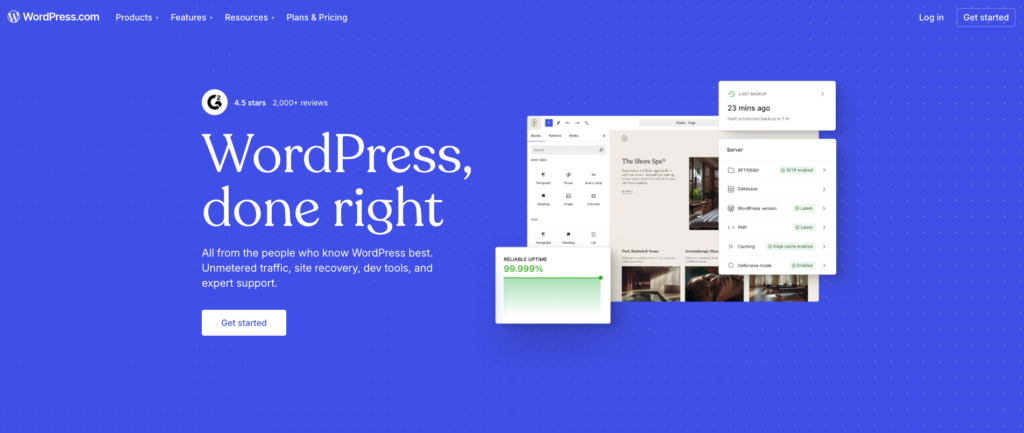
Jetpack CDN is built by Automattic, the company behind WordPress.com, and activates automatically for images and static files the moment you enable the Jetpack plugin. There is no DNS change, no API key, and no configuration screen. The tradeoff: it covers only static assets, not full-page caching or security layers.
RocketCDN is purpose-built for WP Rocket users. Setting it up takes roughly 90 seconds: you activate it from the WP Rocket dashboard, and it automatically purges the cache in sync with WP Rocket’s own cache-clearing rules. Flat pricing at $8.99/month (billed annually) removes the variable-cost anxiety of pay-per-GB models.
Kinsta CDN is not a standalone product. It ships free inside every Kinsta managed hosting plan, powered by Cloudflare’s infrastructure. If you already host on Kinsta, there is no separate CDN to configure or pay for.
Pro Tip: Searches for “Cloudflare CDN free” and “how to setup Cloudflare free CDN in WordPress” rank among the top CDN queries in 2026. Cloudflare’s free plan is genuinely functional for most content sites, but upgrading to Pro is worth calculating if your monthly bandwidth exceeds 10TB or your store processes transactions.
For WooCommerce stores, Cloudflare Pro or Bunny.net delivers the right combination of performance and security. Media-heavy blogs with large image libraries benefit most from Bunny.net’s WebP conversion or Jetpack CDN’s automatic image serving. Non-technical users who want a working CDN in under five minutes should start with Jetpack CDN or RocketCDN, both of which require zero server-level access.
The best CDN for WordPress is ultimately the one matched to your current infrastructure, not the one with the longest feature list.
Step 3 – How Do You Measure Whether Your CDN Is Actually Working?
Picking the right CDN solves only half the problem. The other half is confirming it actually delivers. According to Google’s Core Web Vitals documentation, LCP should fall under 2.5 seconds and TTFB under 200ms to meet “good” thresholds – yet most WordPress teams enable a CDN and never check either metric against a baseline.
Follow this four-step workflow to close that gap:
Establish a baseline before enabling your CDN. Run your URL through PageSpeed Insights or GTmetrix and record three numbers: LCP, TTFB, and overall performance score. Screenshot or export the report. You cannot prove improvement without a pre-CDN reference point.
Verify CDN asset delivery via response headers. Open Chrome DevTools (F12), go to the Network tab, reload your page, and click any static asset (image, CSS, JS). Look for
cf-cache-status: HITon Cloudflare,X-Cache: HITon CloudFront, or the equivalent header for your provider. AMISSon every asset means the CDN is routing traffic but not caching it.Re-test from at least three geographic regions. Use Pingdom’s multi-location testing to run speed tests from regions outside your server’s data center. TTFB improvements outside your hosting region confirm the CDN’s edge network is doing real work, not just acting as a pass-through proxy.
Monitor your cache hit ratio in the CDN dashboard. A ratio below 70% signals misconfiguration: too many excluded URL patterns, overly short TTLs, or query string parameters bypassing cache. Target 80% or higher as your steady-state benchmark.
Important: Core Web Vitals gains from CDN deployment take up to 28 days to surface in Google Search Console field data, because that report reflects real-user data collected over a rolling 28-day window. Don’t interpret a flat GSC report in week one as failure.
Tracking these KPIs sits within a broader performance measurement discipline. The same rigor applied to SEO performance KPIs applies here: define targets before you deploy, then measure against them on a fixed cadence.
Key differentiator: A cache hit ratio below 70% is the single most reliable signal of CDN misconfiguration – fix TTL settings and URL exclusion rules before changing CDN providers.
Which WordPress Site Types Benefit Most from a CDN – and When Should You Skip It?
A cache hit ratio fixes a misconfiguration problem, but before that, you need to answer a more fundamental question: does your WordPress site actually need a CDN in the first place? The honest answer is no, not always. Most CDN guides skip this part. Here is a direct mapping of site type to CDN return on investment.
Site types where a CDN delivers clear, measurable value:
Global WooCommerce stores. Latency directly kills conversions. According to Portent’s research, a one-second delay in page load reduces conversion rates by up to 11%. For WooCommerce CDN deployments, the critical feature is WAF protection on checkout pages combined with SSL offloading, not just static asset caching. Checkout pages handle payment data, making DDoS mitigation a revenue-protection tool, not just a performance bonus.
Photography and portfolio sites. Image delivery accounts for the majority of page weight on media-heavy sites. A CDN with built-in image optimization (WebP conversion, lazy-load headers, responsive resizing) can cut bandwidth costs by 40-60% while eliminating the origin server as a bottleneck during gallery loads.
News and viral content sites. Traffic spikes are unpredictable. A CDN absorbs surge traffic at the edge before it reaches your origin, preventing the kind of outage that costs a news publisher its audience permanently.
Membership and LMS sites with international users. Global learners accessing video, PDFs, and quiz assets benefit from reduced TTFB via edge PoPs. CDN for membership sites also reduces origin server load during cohort-based course launches, which generate synchronized traffic spikes.
When a CDN adds minimal or no value:
- A local plumber serving one metro area where 90%+ of traffic is within 50 miles of the origin server. CDN PoP routing adds negligible latency reduction at that scale.
- Sites are already hosted on managed WordPress hosting platforms like Kinsta or WP Engine. Both bundle edge caching as part of their infrastructure stack, meaning a third-party CDN creates cache layering conflicts more often than improvements.
- Static brochure sites under 1,000 monthly visitors with no media assets heavier than standard compressed images. The configuration overhead exceeds the performance gain.
Important: If your managed WordPress hosting CDN is already active, adding a second CDN in front of it without disabling the host’s caching will cause cache invalidation conflicts and stale content delivery.
Matching CDN investment to actual site architecture, not category assumptions, is the decision that separates WordPress performance optimization from performance theater. For broader site-level performance decisions that compound with CDN gains, ecommerce SEO platform selection follows the same ROI-first logic.
What Are the Most Common CDN Configuration Mistakes WordPress Users Make?
Getting a CDN live is the easy part. Configuring it correctly is where most WordPress teams quietly lose the performance gains they just paid for. According to W3 Techs’ CDN usage report, misconfiguration rather than product quality is the leading cause of underperforming CDN deployments.
Here are five CDN configuration mistakes that appear consistently across WordPress setups, along with the direct fix for each:
- Excluding too many file types from caching. Images, CSS, and JavaScript served from the origin defeat the CDN’s purpose. Fix: Open your CDN’s cache rules panel and audit every exclusion. Remove any blanket file-type blocks that were added without a specific reason.
Skipping cache purging after theme or plugin updates. Visitors receive stale CSS or broken layouts for hours post-update. Fix: enable auto-purge on publish inside your WordPress CDN plugin (WP Rocket, W3 Total Cache, and Cloudflare’s official plugin all include this toggle). Use the manual purge button for emergency rollouts.
Conflicting cache headers between a CDN and a separate caching plugin. Mismatched
Cache-ControlTTLs cause unpredictable caching behavior. Fix: align TTLs at both layers. Set identicalmax-agevalues in your plugin and your CDN’s edge rules.- Running CDN without HTTPS enabled, triggering mixed content warnings. This kills WooCommerce checkout conversions and triggers browser security alerts. Fix: activate Full SSL mode in Cloudflare (or equivalent) and confirm every asset URL resolves over HTTPS before going live.
- Caching the wp-admin or WooCommerce cart and checkout pages. Dynamic sessions break entirely behind a cache layer. Fix: add /wp-admin/*, /cart/, and /checkout/. Add your CDN bypass list immediately.
Important: A single uncached checkout page or broken admin session can cost more in lost revenue than a month’s CDN subscription. The structured data and schema guide follows the same principle: technical precision at the configuration level determines whether investment pays off.
Correct CDN configuration is not a one-time task. Revisit your cache rules every time you add a plugin, switch themes, or launch a new page type.
Last updated: 2026-06-07
Frequently Asked Questions
Does a CDN replace my WordPress hosting provider?
No, a CDN works alongside your hosting provider, not instead of it. Your hosting server still stores and delivers your WordPress files, while the CDN caches and distributes static assets like images, CSS, and JavaScript from servers closer to your visitors. Think of them as two different tools solving two different problems.
Is a CDN worth it for a small WordPress blog with low traffic?
It depends on where your audience is located. If most of your visitors are in the same country as your hosting server, the speed gains will be minimal. However, if you have international readers or want to reduce server load during traffic spikes, even a free CDN tier from providers like Cloudflare can offer a noticeable improvement.
Can a CDN hurt my WordPress site’s SEO?
A properly configured CDN should actually help your SEO by improving page load times, which is a confirmed Google ranking factor. Problems can arise if the CDN serves outdated cached content, blocks Googlebot, or misconfigures SSL certificates. Choosing a CDN with good default settings and monitoring it after setup prevents most of these issues.
How much does a good CDN for WordPress typically cost?
Costs vary widely depending on traffic volume and features. Several reputable CDNs, including Cloudflare and BunnyCDN, offer free or very affordable entry-level plans suitable for small to medium WordPress sites. Enterprise-grade plans with advanced security and analytics can run into hundreds of dollars per month.
Will a CDN automatically work with my WordPress plugins and theme?
Most CDNs work passively and require little to no plugin-level integration. However, some caching plugins like WP Rocket, W3 Total Cache, and LiteSpeed Cache include built-in CDN configuration options that make the setup smoother. Always test your site after enabling a CDN to confirm that dynamic content, forms, and checkout pages behave correctly.
Do I still need a caching plugin if I use a CDN?
Yes, a caching plugin and a CDN serve different purposes and work well together. A caching plugin reduces the load on your WordPress database by storing pre-built page versions on your server. A CDN then delivers those cached assets from a location closer to each visitor, combining both speed benefits.
Can I use a CDN if my WordPress site uses WooCommerce?
Yes, but you need to configure it carefully. Cart pages, checkout pages, and account dashboards must be excluded from CDN caching to prevent users from seeing incorrect or shared session data. Most CDN providers include documentation or preset rules specifically for WooCommerce to help you set these exclusions correctly.
Conclusion
Choosing the right CDN comes down to three factors: your site’s traffic volume, content type, and budget. How to choose a CDN? Discover the best CDN services for WordPress by revisiting the comparison section above, where Cloudflare, Bunny.net, Jetpack CDN, and RocketCDN are matched to specific site types, from WooCommerce stores to media-heavy portfolios.
Before you enable anything, run a baseline speed test in PageSpeed Insights and record your current LCP and TTFB scores. After activating your chosen CDN, wait 48 hours for edge caches to warm up, then re-test those same metrics to confirm you are seeing real, measurable gains.
The biggest mistake most WordPress users make is deploying a CDN and assuming it works. Measure it, verify it, and adjust your configuration if the numbers disappoint. Your faster site is one benchmark away from being confirmed.